 QuantumReady
The cryptographic inventory, with the evidence behind every row
Every service, database, image, endpoint and library in one place: the algorithm, the key length, the system it belongs to, and the person who owns the fix. Built from your own estate rather than from a survey of what teams remember.
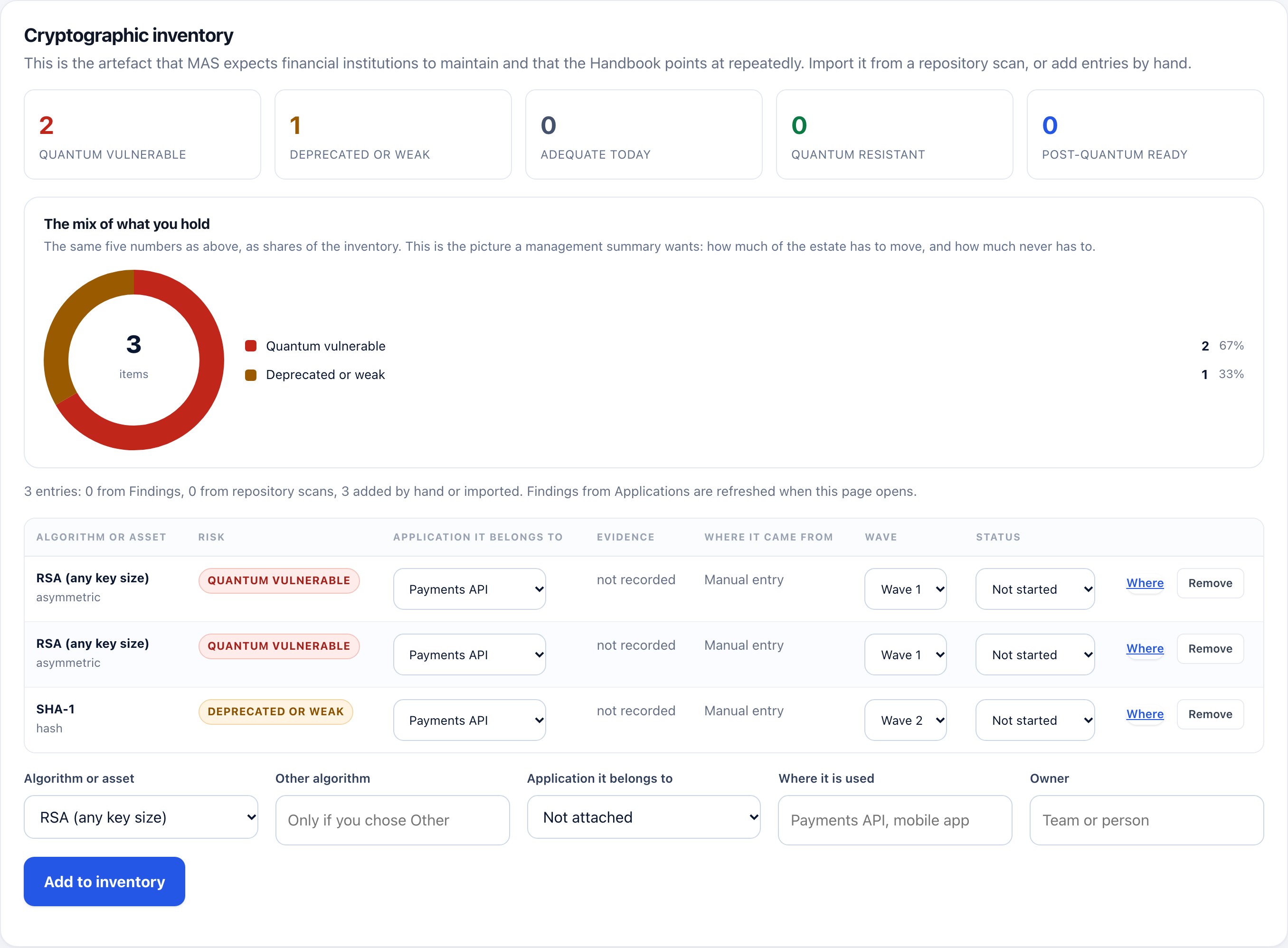
A real capture of the cryptographic inventory, populated with a sample estate.
Four fields, and the fourth is the hard one
Algorithm and key length come from reading the estate. System and owner come from your organisation. Only the first two can be automated, and pretending otherwise is how inventories go stale.
| Field | Where it comes from | Why it matters |
|---|---|---|
| Algorithm | Read from source, build artifacts, images, cloud configuration and the TLS handshake | RSA, ECDSA, SHA-1 and the post-quantum replacements already in use, classified against the quantum model |
| Key length | Read where the code declares it, including through variables and configuration | A 1024-bit key and a 4096-bit key are not the same exposure, and neither is a hybrid |
| System | The application, deployment, environment and asset a finding belongs to | So the inventory answers "which system?" and not only "which file?" |
| Owner | Set once in the workbench and carried into every report, wave and evidence pack | An unassigned finding is visible as unassigned, rather than quietly disappearing into a backlog |
One inventory, not five
Your code
22 language families, 11 of them parsed rather than pattern-matched, so a key size passed through a variable is still read.
Build artifacts and images
JAR, WAR, wheel, package and container layers. The OpenSSL that breaks the story usually arrives in a base image, not in a repository.
Cloud and endpoints
Keys, vaults and TLS policy from configuration, plus a real TLS handshake against public endpoints rather than trusting a header.
Existing scanners
Import CycloneDX CBOM output from the tools you already run, so the result is one inventory rather than five spreadsheets.
Ownership
Fill in the owner and the system once. Later scans of the same scope attach themselves to the same application.
Exports
CSV, JSON, CycloneDX CBOM and SARIF. The inventory is the artefact a customer or an auditor asks to see.
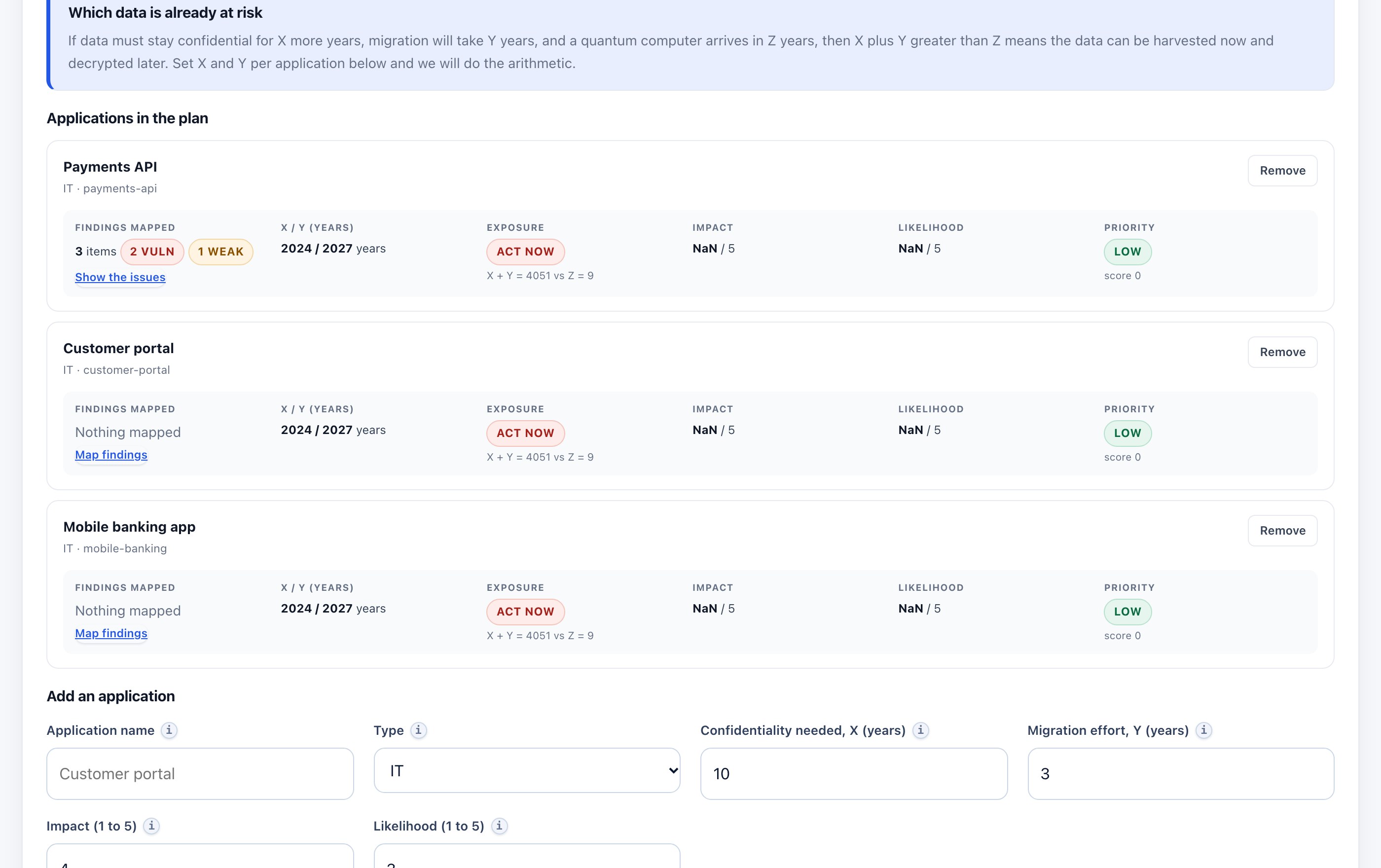
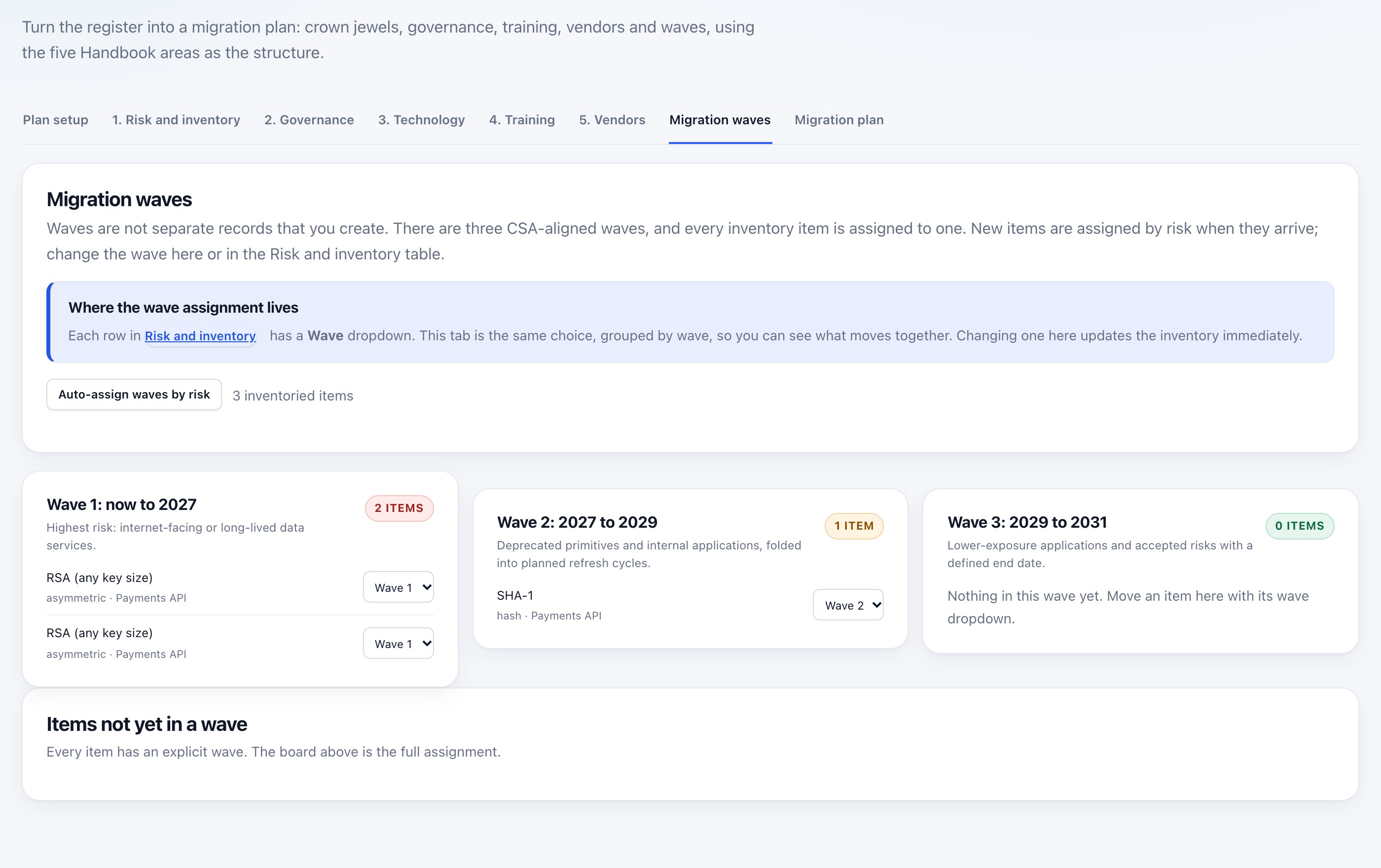
From the inventory to the plan
What it does not do
It does not connect to your databases, read business records, or certify that you are compliant. The inventory is evidence, and your attestation is yours. It also states what it could not see: an inventory that implies full coverage is worse than one that names its limits.