 QuantumReady
Scan private repositories, managed for you
Link GitHub, GitLab or Bitbucket, choose the repositories you want read, and scan them without running anything. The report stays on your account, with the same engine and the same format as the offline scanner.
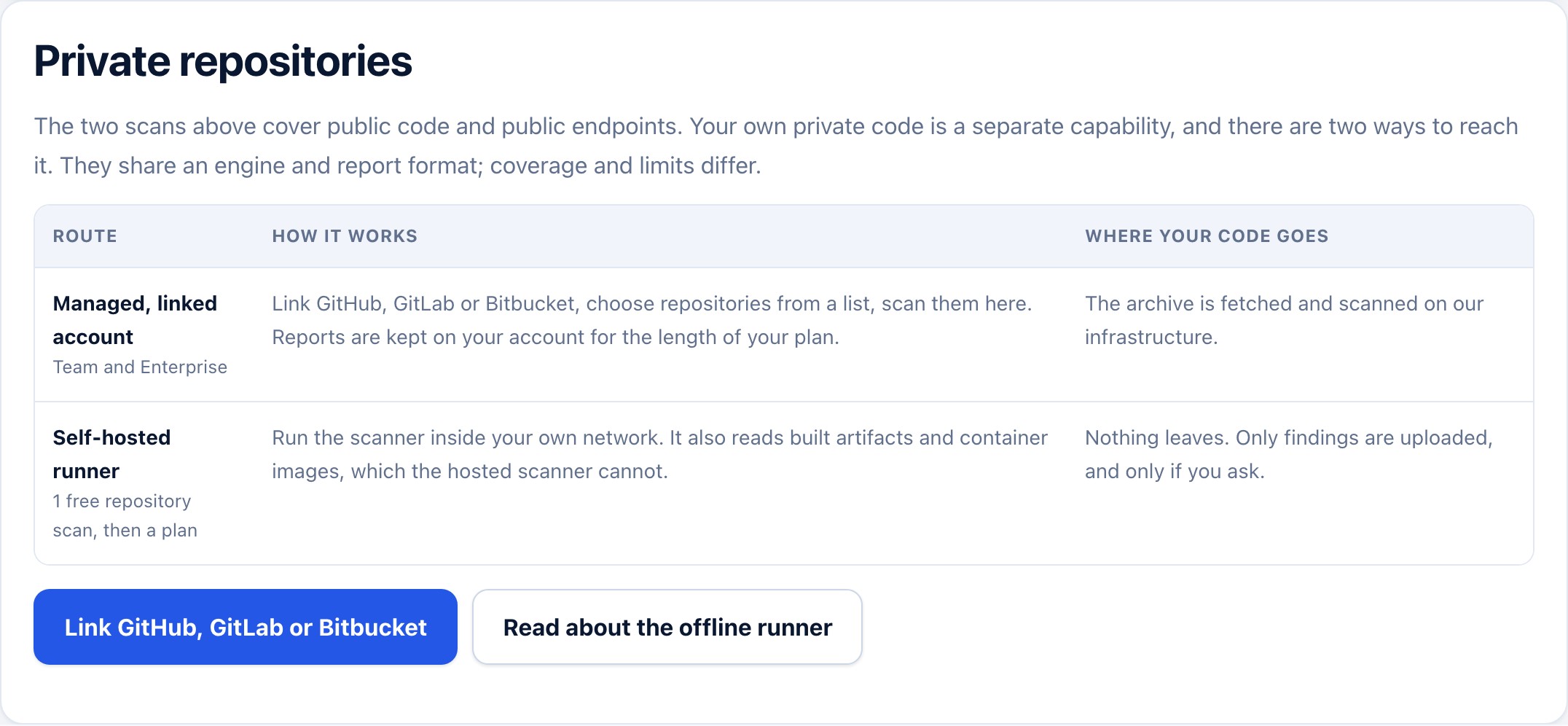
Two routes to private code, and where your code goes for each.
Three steps, no deployment
1. Link an account
Connect GitHub, GitLab or Bitbucket through OAuth. We never store your code; we fetch the archive for the scan and keep the report.
2. Choose repositories
Pick from the list you already have access to. A repository larger than the scan budget is reported as partial, never as complete.
3. Scan and keep the evidence
The inventory, the findings and the CBOM land in your account, ready for the workbench and for an evidence pack.
The same engine as the offline scanner
Parsed where the language allows it, matched where it does not. The hosted scan works within a budget and says so; the offline scanner has a larger one.
| Online scanner | Offline scanner | |
|---|---|---|
| Where it runs | On our infrastructure | Inside your network |
| Private code | Linked repositories | Anything you can reach |
| Source budget | 250 files / 2 MiB on the free tier, larger on a plan | Larger, and configurable |
| Built artifacts and images | Not read by the hosted scan | Read where they sit |
| What leaves your side | The archive is fetched while the scan runs | Reports only, when you choose |
| Report format | Same | Same |
Both run the same rules and the same risk model, and a release test fails the build if they drift apart.
PQC scanner detection quality, published
Precision and recall are measured against a fixed corpus on every release, and the numbers are on the site rather than in a slide.